튜토리얼: Federation SQL
이 튜토리얼에서는 서로 다른 카탈로그의 테이블을 하나의 SQL로 조인하는 Federation SQL을 실습합니다.
목표
tpch 카탈로그의 TPC-H 벤치마크 데이터를 활용하여 크로스 카탈로그 조인의 원리를 이해합니다.
사전 조건
- 10분 퀵스타트 완료
- GenD에 로그인 상태
배경 지식
GenD는 Trino를 쿼리 엔진으로 사용합니다. Trino는 여러 데이터 소스를 카탈로그로 등록하고, 하나의 SQL에서 여러 카탈로그의 테이블을 조인할 수 있습니다. 이것이 Federation SQL입니다.
Step 1: 사용 가능한 카탈로그 확인
좌측 사이드바에서 Catalog을 클릭합니다.
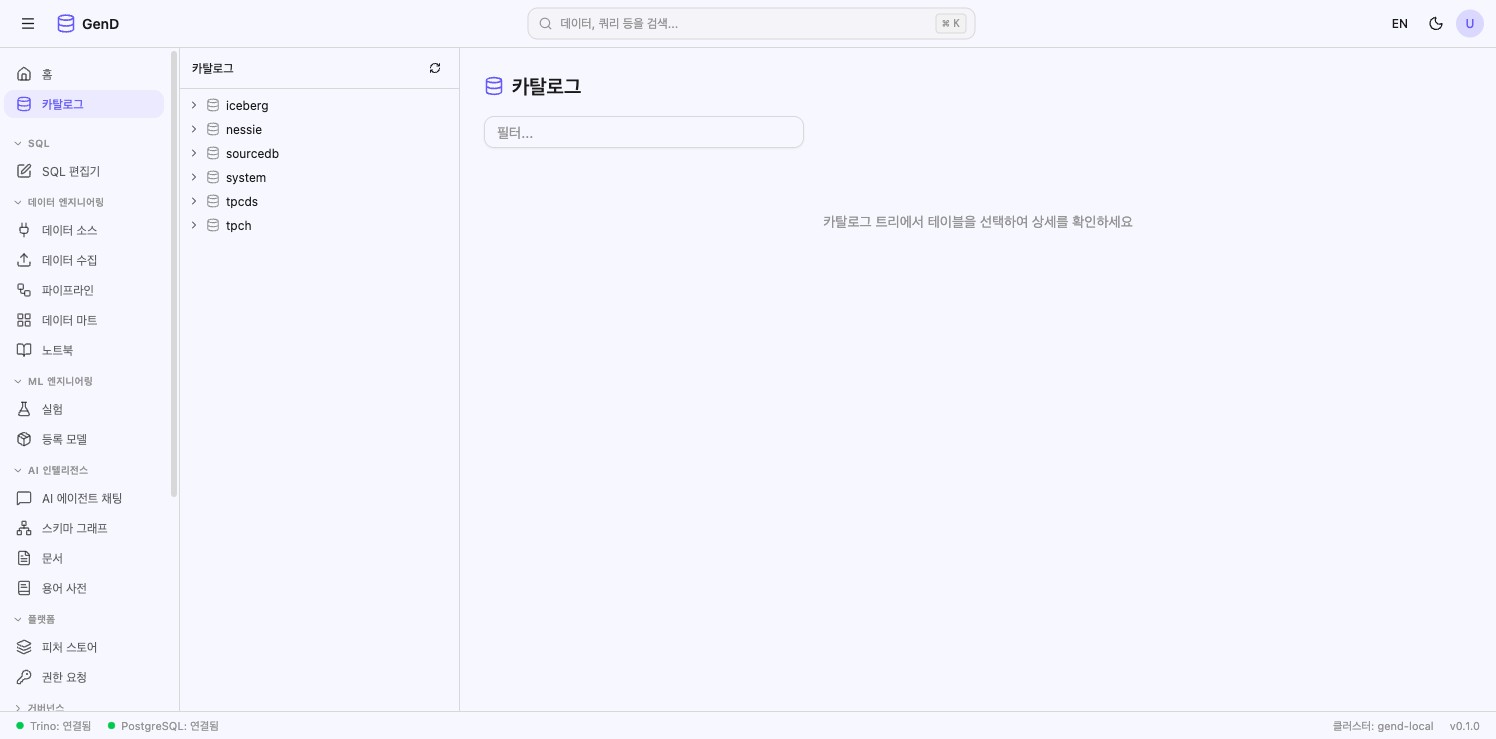
현재 등록된 카탈로그:
| 카탈로그 | 타입 | 용도 |
|---|---|---|
| iceberg | Iceberg (SeaweedFS S3) | 데이터 레이크 |
| nessie | Nessie + Iceberg | 버전 관리 레이크 |
| sourcedb | PostgreSQL | 운영 DB |
| tpch | TPC-H (빌트인) | 벤치마크 데이터 |
| tpcds | TPC-DS (빌트인) | 벤치마크 데이터 |
Step 2: 단일 카탈로그 쿼리
SQL Editor를 열고 다음 쿼리를 실행합니다:
-- tpch 카탈로그의 고객 테이블 조회
SELECT custkey, name, mktsegment
FROM tpch.tiny.customer
LIMIT 5
tpch.tiny.customer 형식은 카탈로그.스키마.테이블입니다.
Step 3: 같은 카탈로그 내 JOIN
같은 tpch 카탈로그 안에서 customer와 orders를 조인합니다:
SELECT
    c.name AS customer_name,
    c.mktsegment,
    COUNT(o.orderkey) AS order_count,
    SUM(o.totalprice) AS total_spend
FROM tpch.tiny.customer c
JOIN tpch.tiny.orders o ON c.custkey = o.custkey
GROUP BY c.name, c.mktsegment
ORDER BY total_spend DESC
LIMIT 10
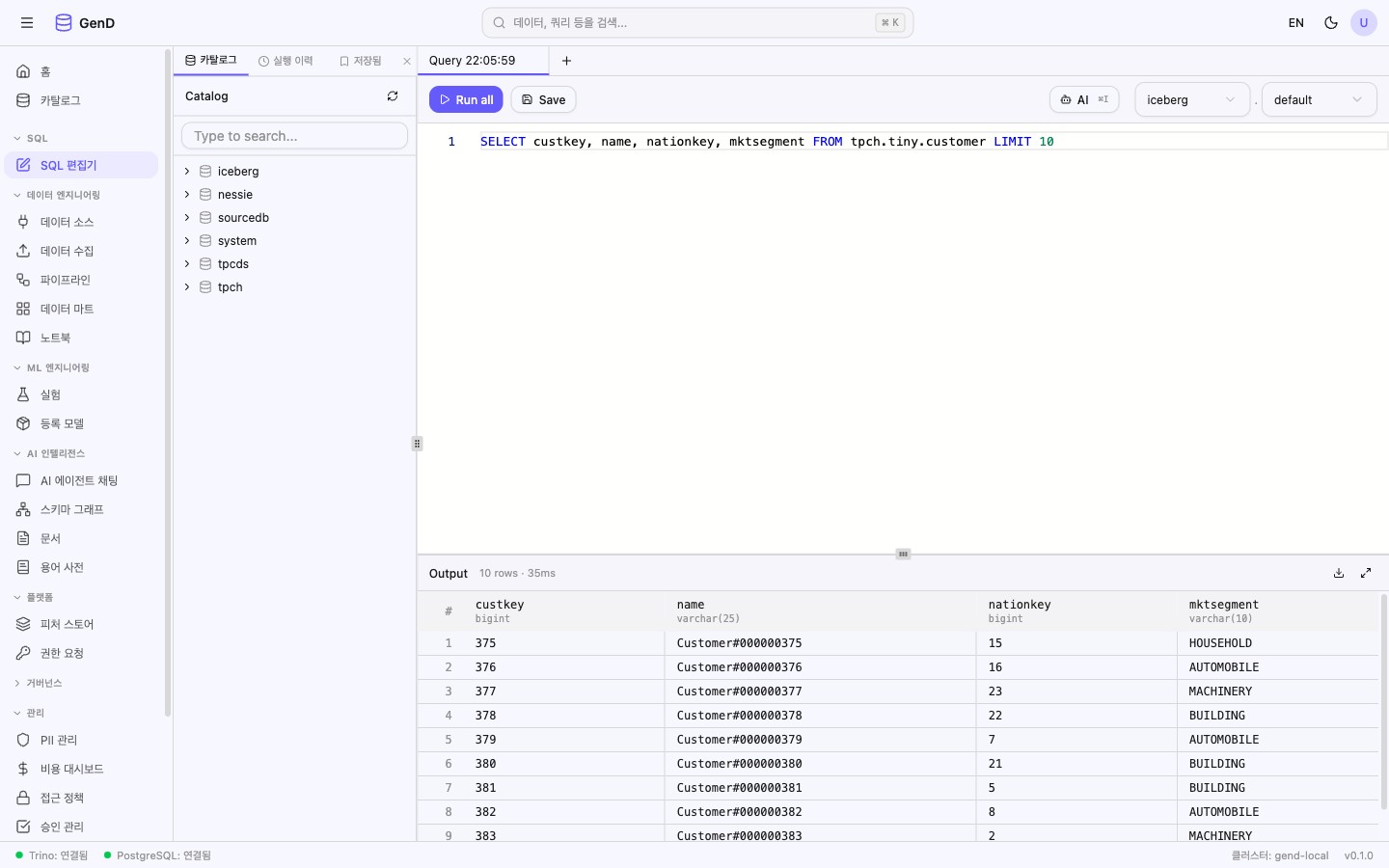
실행 결과: 고객별 주문 건수와 총 소비 금액이 표시됩니다.
Step 4: 크로스 카탈로그 JOIN (Federation)
서로 다른 카탈로그의 테이블을 조인합니다:
-- tpch 고객 수 vs tpcds 고객 수 비교 (Federation 예제)
SELECT
    'tpch' AS source,
    COUNT(*) AS customer_count
FROM tpch.tiny.customer

UNION ALL

SELECT
    'tpcds' AS source,
    COUNT(*) AS customer_count
FROM tpcds.tiny.customer
핵심: 하나의 SQL에서
tpch와tpcds두 개의 카탈로그를 동시에 조회했습니다. ETL 없이 실시간으로 데이터를 통합 분석할 수 있습니다.
Step 5: 다중 테이블 JOIN (tpch 카탈로그 내)
tpch 카탈로그의 여러 테이블을 조합합니다:
SELECT
    r.name AS region,
    n.name AS nation,
    COUNT(DISTINCT c.custkey) AS tpch_customers,
    COUNT(DISTINCT s.suppkey) AS tpch_suppliers
FROM tpch.tiny.region r
JOIN tpch.tiny.nation n ON r.regionkey = n.regionkey
LEFT JOIN tpch.tiny.customer c ON n.nationkey = c.nationkey
LEFT JOIN tpch.tiny.supplier s ON n.nationkey = s.nationkey
GROUP BY r.name, n.name
ORDER BY r.name, n.name
AI Agent Chat으로 수행하기
위의 모든 단계를 AI Agent Chat에서 자연어로 수행할 수 있습니다. 각 페이지 상단의 AI에게 요청 버튼을 클릭하면 현재 화면을 유지하면서 우측에 AI 채팅 패널이 열립니다.
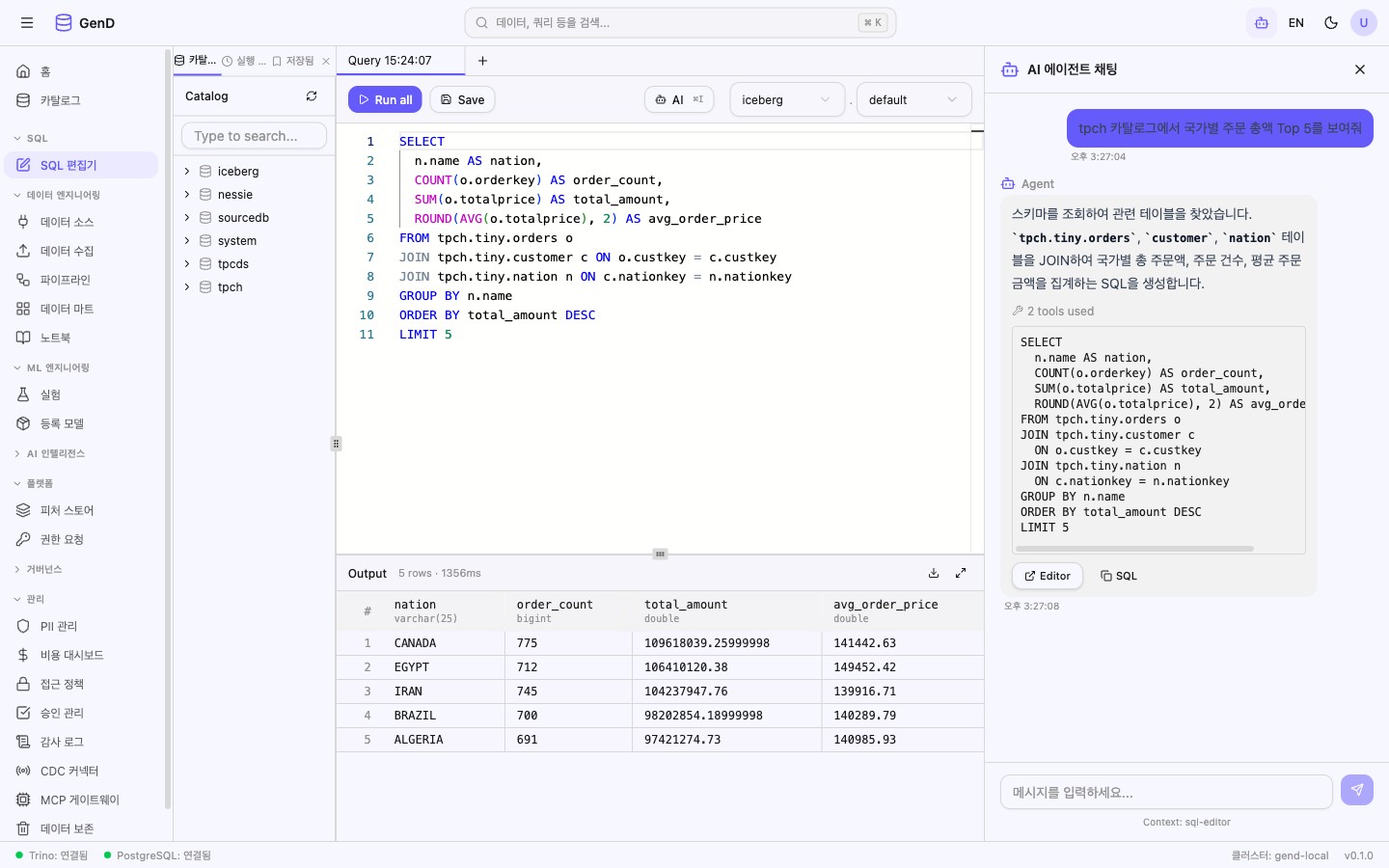
대화 예시
사용자: "tpch 카탈로그에서 국가별 주문 총액 상위 5개 보여줘"
AI: [execute_query 호출] → nation 테이블과 orders 테이블을 JOIN하여 국가별 총액을 집계하고, 상위 5개 국가를 반환합니다.

사용자: "tpch와 tpcds의 고객 수를 비교해줘"
AI: [execute_query 호출] → 두 카탈로그의 customer 테이블을 UNION ALL로 비교하여 각각의 고객 수를 보여줍니다.

사용자: "region별 customer 수와 supplier 수를 함께 보여줘"
AI: [execute_query 호출] → region, nation, customer, supplier 4개 테이블을 JOIN하여 지역별 고객/공급자 수를 집계합니다.
팁
AI Agent Chat은 44개 플랫폼 도구를 활용하여 데이터 탐색, SQL 생성, 거버넌스 조회 등을 자동으로 수행합니다. 자세한 내용은 AI Agent Chat 가이드를 참조하세요.
결과 확인
- 여러 데이터 소스를 하나의 SQL로 조인할 수 있음을 확인했습니다
- Federation SQL은 ETL 파이프라인 없이 실시간 데이터 통합을 가능하게 합니다
카탈로그.스키마.테이블형식으로 모든 데이터 소스에 접근합니다
다음 단계
- AI Text-to-SQL — 자연어로 Federation SQL 자동 생성
- 데이터 거버넌스 — PII 포함 데이터를 안전하게 조회
- 데이터 품질 — 조인된 데이터의 품질 검증